

The best TutorCruncher alternative depends on how you run your tutoring business. A small team may prioritize affordable scheduling and billing. An online academy may need lessons, learning materials and parent updates in one place. For a tutoring centre, managing rooms, recurring classes and tutor pay may matter most.
Wise is our top pick for online tutoring businesses that want to manage teaching and administration together. TutorBird is a strong option for smaller teams on a budget, while Teachworks offers more flexibility for businesses with established workflows. Teach ’n Go suits schools and academies built around regular group classes.
Below, we review ten TutorCruncher alternatives, explain where each earns its place and identify the trade-offs that could rule it out. Start with the comparison table, then read the two or three reviews closest to your business model.
Editorial disclosure: Wise publishes this guide and is one of the products reviewed. Our opinions draw on public product documentation, pricing, release information and worked comparisons—not hands-on testing of every platform. Research checked October 4, 2026. Prices are monthly USD unless stated otherwise; taxes, payment processing and optional services may cost extra.
In this guide: Quick comparison · Why switch? · Our review approach · Detailed reviews · Wise vs TutorCruncher · Real costs · Choosing and switching · FAQs
TutorCruncher alternatives: the quick comparison
| Platform | Our pick for | Starting price or model | Biggest trade-off |
|---|---|---|---|
| Wise | Online tutoring with connected learning and administration | Session or tutor/admin-seat pricing | Compare configurations, including Zoom and branding. |
| TutorBird | Small teams prioritizing value | $16.95/month + $4.95/additional tutor or staff member | Staff growth increases the subscription. |
| Teachworks | Flexible administration and integrations | $16.49/month + $0.320/student lesson | Group attendance increases billable usage. |
| Teach ’n Go | Language schools and recurring-class academies | $79/month for 100 live students; Pro $109 | Locations, limits and API access depend on tier. |
| Tutorbase | Room-intensive centers with varied teacher pay | 1% of applicable invoicing | Not an escape from percentage-based software fees. |
| Oases Online | Assessment-led and reporting-heavy programs | $99/month for 25 active students | Higher student bands can be expensive. |
| LearnSpeed | Session reporting and seasonal lesson volume | $0.29/session report | The reporting unit determines the bill. |
| Jumbula | Courses, camps and enrollment-led programs | $15/month PAYG plus enrollment purchases | Registration is not full agency administration. |
| Ubindi | Independent teachers selling classes and passes | Free tier; paid plans from $14/month | Free and Essential add online-payment platform fees. |
| Google Classroom | Assignments and learning materials | Free personal-account option | Not a replacement for commercial billing or tutor pay. |
Read the categories carefully. The first seven are the main tutoring-management shortlist. Jumbula, Ubindi and Classroom solve narrower problems. Including them is useful; pretending they are interchangeable with a full agency system is not.
Why look for a TutorCruncher alternative?
TutorCruncher combines client and tutor records, lesson scheduling, invoicing, payments and reporting. That makes it a credible starting point for an agency—not a product that becomes unsuitable simply because your business grows.
Its limitations are better understood as questions of fit:
- Your costs follow payment volume. Subscription and payment-related charges need comparing against your actual collections, rather than the advertised monthly fee alone.
- The learning experience feels disconnected. You may want recordings, assignments and parent updates closer to the administrative record.
- Your center has operational exceptions. Rooms, changing group sizes, sponsor-funded lessons or teacher-pay premiums may demand more specialized workflows.
- You need less software, not more. An owner-operated business might get better value from a simpler setup.
Our view: move because an important recurring task becomes easier or cheaper. Do not migrate just to acquire features nobody on the team will use.
Important: TutorCruncher has native video calling, and its Bobbin product offers AI-assisted lesson planning and reporting. “TutorCruncher has no online teaching or AI” is not a sound reason to switch. Compare complete configurations, including their separate costs.
How we evaluated these alternatives
We prioritized tools that address a distinct tutoring-business need. Each review considers the documented workflow, its pricing unit, the practical advantage over TutorCruncher and the compromise a buyer accepts.
Our criteria were straightforward:
- Administration: recurring lessons, family records, cancellations, invoicing and tutor compensation.
- Teaching experience: classroom access, resources, feedback and student progress.
- Operating fit: solo tutoring, online agencies, physical centers or course registration.
- Value: the complete configuration at realistic activity levels—not the lowest headline price.
We do not award invented testing scores or treat marketing promises as measured performance. “Best for” identifies our preferred use case, not a universal winner. A well-chosen specialist can outperform a broader platform for one business and be the wrong purchase for another.
1. Wise – best for online tutoring with connected learning and administration

Best fit: Online tutoring agencies, hybrid providers and teams that want the lesson experience and back office working together.
Wise makes its strongest case when the problem continues after a booking is made. The lesson happens, but someone still has to share the recording, check attendance, collect feedback and explain the learner’s progress to a parent.
Its one-on-one tutoring platform and group tutoring tools connect those activities rather than treating the classroom as a link attached to a calendar entry.
What stands out
- Continuity across the lesson: Scheduling, live-session access, attendance, resources and follow-up sit within a connected environment. The benefit is fewer handoffs between the administrator, tutor and family.
- Learning beyond the video call: Assignments, quizzes and shared resources give learners somewhere to return between sessions. This matters for programs selling structured progress rather than isolated appointments.
- Visibility across tutors: Session reports, recordings and engagement indicators give academic managers material to review without attending every lesson.
- A branded family experience: Wise offers branded mobile apps and parent/student access, making it relevant when the learning service should feel like your business rather than a collection of tools.
These capabilities are described across Wise’s product overview, scheduling software and automated reminders pages.
Why choose it over TutorCruncher?
Our preference for Wise is strongest when lesson delivery is part of the differentiation. An online agency promising consistent instruction and useful parent feedback needs more than accurate invoices. It needs a repeatable process around each class.
Consider a substitute tutor taking over a learner mid-course. The useful outcome is access to relevant resources and previous work, a correct upcoming schedule and a clear next step for the family. That is a better buying test than counting how many AI features appear on the homepage.
Customer evidence: Wise’s Study Smart UK case study describes consolidating scheduling, recordings and payment tracking as the business grew from 30 to 500 monthly sessions. This is a vendor-published customer account, not proof that software alone caused the growth.
Our caution on AI and engagement scores
More reporting is not automatically better teaching. A quiet learner may be thinking carefully; a confident speaker may still misunderstand the topic. We would use participation indicators to identify sessions worth reviewing, then check the actual work and tutor feedback. AI summaries should support that judgment, not become an unquestioned assessment of a child. Decide who reviews reports before families receive them, and make recording access and retention part of implementation.
Pricing and practical limitations
The Wise calculator offers session-based and tutor/admin-seat configurations, with a Zoom option. Model both against your team and teaching volume. A fluctuating freelance roster and a stable team delivering frequent group classes can have different economics.
Wise does not take a platform percentage of collections, but external payment-provider charges remain. Get the session-counting rule, included recording/storage, branded-app scope and implementation requirements in the configured quote. Use a configured price rather than assuming one advertised rate applies to every business.
| Pros | Cons and trade-offs |
|---|---|
| Strong fit for linking live lessons, learning resources and family follow-up. | A broader learning platform may be unnecessary for a tutor needing only invoices. |
| Session and seat options allow comparison across different staffing models. | The exact cost is less immediately comparable than a single fixed subscription. |
| Our verdict: Wise is our first shortlist choice for an online agency trying to make teaching quality and parent communication more consistent. Choose it for the connected learning workflow; skip it when that workflow adds little value to an otherwise simple business. |
2. TutorBird – best-value starting point for a small tutoring team
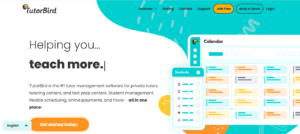
Best fit: Independent tutors and smaller teams that want capable administration without a large starting bill.
TutorBird is not merely a cheap calendar. Its offering includes invoicing, family access, learning materials, a website builder and multi-tutor administration. That breadth makes it a strong value candidate before a small agency commits to a more expensive system.
What stands out
The practical attraction is how many routine purchases it can replace. A tutor starting from scratch can organize lessons, send invoices and create a basic website without assembling several subscriptions.
Its scheduling tools support attendance, reminders and calendar coordination. Its learning-management features cover resources, assignments and student work. Those are useful capabilities, even though they are not the same purchasing proposition as a deeply connected live-class review workflow.
Three details deserve attention:
- Individual staff access: Tutors can work from their own accounts, with permissions reflecting their responsibilities.
- Actual compensation tools: TutorBird documents hourly and revenue-percentage payroll calculations, including category overrides.
- A practical growth model: Additional staff incur a known subscription charge; student count does not determine the base plan.
TutorBird pricing
The published price is $16.95 monthly for the first tutor/staff member, plus $4.95 for each additional one. A 30-day trial and 90-day money-back guarantee are advertised.
| Total tutors and staff | Monthly software subscription |
|---|---|
| 1 | $16.95 |
| 5 | $36.75 |
| 15 | $86.25 |
These calculations exclude external payment processing and any separate services. Count administrators as well as teachers.
Where we would be cautious
A large roster of occasional tutors can make account-based pricing less appealing. Conversely, frequent lessons delivered by a small, stable team can make it attractive. “Small business software” is not a meaningful limit by itself; the actual staffing pattern matters.
For a physical academy, demonstrate room conflicts and branch reporting before committing. For online delivery, price the classroom tools you will retain. A low administration bill does not tell you the cost of the complete learning experience.
| Pros | Cons and trade-offs |
|---|---|
| Low starting cost with substantive administrative and learning features. | Every additional tutor or staff account increases the subscription. |
| Documented payroll calculations challenge the idea that it is only for solo tutors. | Complex branch or classroom requirements need separate evaluation. |
| Our verdict: TutorBird is the option we would test first when cost control is the primary objective and the business has straightforward operations. Do not pay for a larger platform until you can identify a task TutorBird fails to handle well. Our TutorBird alternatives guide explores the next step when that task appears. |
3. Teachworks – best for configurable administration and an existing software stack

Best fit: Agencies that already like their classroom or accounting tools and want a flexible administrative center.
Teachworks is appealing when consolidation is not the objective. An agency may prefer its current virtual classroom and accounting package but need better scheduling, packages, invoicing and staff records between them.
Its value lies in configurable workflows rather than a promise to replace every application.
What stands out
The integration and add-on directory includes accounting connections, booking tools, package-balance alerts, invoice automation and learning-platform integrations. These are useful building blocks for a business with established processes.
- Accounting continuity: QuickBooks integration can move relevant customers, invoices, credits and payment records.
- Package control: Balance alerts and booking validation help connect the lessons sold with the lessons scheduled.
- Classroom choice: Lessonspace and Pencil Spaces connections support agencies retaining specialist teaching environments.
Teachworks also documents a redesigned 3.0 experience, including sidebar navigation, a revised calendar and improved mobile-browser support. We would assess that current interface rather than repeat old “dated design” criticism.
Teachworks pricing: count students, not calendar events
Its main published plans use a monthly base plus student lessons. A class attended by eight students counts as eight student lessons; canceled lessons are excluded.
| Plan | Monthly base | Per student lesson | At 600 student lessons |
|---|---|---|---|
| Starter | $16.49 | $0.320 | $208.49 |
| Growth | $47.99 | $0.189 | $161.39 |
| Premium | $187.99 | $0.065 | $226.99 |
Illustrative software charges only. At this volume, Growth beats Starter despite its higher base. API access begins with Growth; requirements may determine the tier before price does.
| Pricing note: Not every connection is cost-free. The directory separately lists paid Pro add-ons, including two-way Google Calendar sync, activity logs and third-party billing. SMS usage and external services can also add costs. |
The real trade-off
Configurability introduces ownership. Someone must understand which tool holds the authoritative record, how corrections synchronize and which add-ons are necessary.
For example, a family buys a package, changes one lesson and receives a credit. A connection that exports an invoice once may not prove that the corrected balance stays aligned everywhere. This is where a modular setup succeeds or becomes another reconciliation task.
| Pros | Cons and trade-offs |
|---|---|
| Broad configuration options support established education workflows. | Group attendance increases student-lesson charges. |
| Lets you retain specialist accounting and classroom tools. | Paid add-ons and separate services complicate the total budget. |
| Our verdict: Choose Teachworks when you deliberately want a configurable back office, not when you want every teaching task inside one system. Its flexibility is a strength when someone owns the configuration. See our Teachworks alternatives comparison for the competing approaches. |
4. Teach ’n Go – best for recurring-class academies and language schools

Best fit: Schools with a defined student roster, repeat attendance and frequent communication with families.
Teach ’n Go is organized around school administration rather than an agency matching individual clients with a rotating tutor network. That makes it attractive for language schools and academies whose learners return to scheduled classes throughout a term.
What stands out
Its school-management offering brings scheduling, attendance, fees and portals together, with mobile access and multilingual support. The important advantage is not any single feature; it is a consistent place for staff and families to follow school activity.
- Student-based budgeting: Frequent attendance from an existing roster does not create a per-student-lesson subscription charge.
- Unlimited teachers and classes: Staffing arrangements need not be priced like additional seats.
- Family communication: Portals and mobile access can reduce the need to answer routine schedule and account questions individually.
For a school running three sessions weekly for the same learners, student-band pricing deserves serious consideration. For a business with many learners purchasing infrequently, it may be less compelling. Frequency and roster size should be evaluated together.
Teach ’n Go pricing
The current USD plans distinguish the base product from Pro:
| Live students, up to | Base plan/month | Pro/month |
|---|---|---|
| 100 | $79 | $109 |
| 200 | $99 | $139 |
| 500 | $189 | $259 |
The base plan allows one location and three administrators. Pro adds multiple locations, higher limits and read/write API access; the base API is read-only. Pro also advertises additional AI-assisted communication and school insights. A 14-day trial is available.
Where the difference matters
A school opening a second branch should budget for Pro even when its student count remains unchanged. Likewise, software that can read data through an API cannot necessarily accept updates from your other systems.
That is why we would shortlist Teach ’n Go for school-style operations, then choose the tier around actual requirements—not assume all features come with the first price displayed.
| Pros | Cons and trade-offs |
|---|---|
| Student-band pricing can suit frequent, recurring classes. | A large roster with low attendance frequency can weaken value. |
| School portals, mobile access and unlimited teacher accounts fit academy operations. | Multi-location access and advanced limits require Pro. |
| Our verdict: Teach ’n Go is a strong fit when the roster and timetable define the business. Prefer it for an academy with repeat classes; look harder at agency-focused tools when tutor allocation, complex commissions or individualized commercial arrangements dominate. |
5. Tutorbase – best for busy physical centers and varied teacher compensation
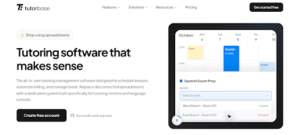
Best fit: Multi-teacher centers coordinating rooms, recurring groups and different pay arrangements.
An available tutor is not enough to confirm a lesson. The room may be full, a learner may have another booking, or the substitute may be paid differently. Tutorbase is most interesting when those constraints repeatedly slow down the front desk.
What stands out
Its scheduling documentation describes teacher, room and student views, recurring bookings, availability synchronization and conflict checks. We see this as a center-operations proposition: coordinating scarce teaching time and physical capacity.
Its compensation tools add another useful layer:
- Mixed pay models: Hourly, per-lesson and revenue-share arrangements can coexist.
- Rate variations: Subject-specific rates and weekend or holiday premiums support less uniform staffing agreements.
- Reviewable statements: Administrators can inspect lesson-level calculations before approving tutor pay.
The combination matters more than any AI label. When the same finalized lesson informs scheduling records, billing and compensation, fewer independent calculations need to agree.
A useful example is a teacher earning one rate for individual lessons and another for weekend groups. The benefit is not just calculating a total. An administrator should be able to trace each amount to the lesson, explain an adjustment and correct an error without rebuilding the entire statement. That transparency matters when different managers approve work across locations.
Tutorbase pricing
Tutorbase publishes a 1% invoicing fee, with payment-provider charges separate. Applicable monthly invoicing of $20,000 produces a $200 platform component; $50,000 produces $500.
There is no need to describe this as undisclosed pricing. Equally, it should not be sold as a flat-fee escape from TutorCruncher. Its cost still grows with the value of business passing through the invoicing model.
Our main reservation
Percentage pricing can be reasonable when the platform resolves expensive operational complexity. It is less attractive when the business raises lesson prices without adding much administrative work: the software fee rises with invoicing even though the scheduling problem may be unchanged.
We would also separate compensation calculations from statutory payroll and actual money transfers. Confirm what your configuration handles; a feature named “payroll” is not evidence that every local obligation is covered.
| Pros | Cons and trade-offs |
|---|---|
| Clear emphasis on rooms, availability and recurring center schedules. | The platform charge scales with invoiced value. |
| Detailed compensation options suit mixed teaching contracts. | Simpler businesses may not need this operational depth. |
| Our verdict: Shortlist Tutorbase when front-desk scheduling and teacher-pay exceptions are the bottleneck. Do not choose it primarily to avoid percentage-based fees. Its case should rest on work eliminated, not the word “free” attached to account creation. |
6. Oases Online – best for assessment-led and reporting-heavy tutoring programs
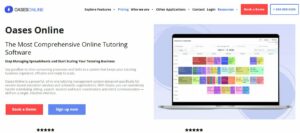
Best fit: Organizations that need structured evidence of attendance, learning goals and services delivered.
Oases earns its place when a tutoring program must explain more than how many lessons occurred. Families, schools or funding partners may need progress records and service documentation in a particular format.
What stands out
Its testing and learning-plan tools support recorded assessment results, custom learning plans and targeted plans generated from Achieve results. The sample-report library helps buyers inspect the kinds of outputs available.
- Assessment continuity: Connect a learner’s starting point with goals and later results.
- Structured documentation: Build a consistent record across tutors rather than rely entirely on free-form emails.
- Operational reporting: Review the sessions and services behind the figures shared with stakeholders.
Our preference here is evidence-led: start with the report your program must produce, then evaluate the software that creates it. A beautiful calendar is secondary when missing documentation delays a funding claim.
Oases pricing and limitations
Its active-student pricing includes these bands:
| Active students, up to | Monthly subscription |
|---|---|
| 25 | $99 |
| 100 | $299 |
| 200 | $499 |
There are intermediate and larger bands. Achieve testing has an additional per-test charge, so assessment costs should not disappear inside an “all-in-one” description.
| Pros | Cons and trade-offs |
|---|---|
| Relevant assessment, learning-plan and reporting capabilities. | A comparatively substantial subscription at larger student counts. |
| Suits programs where documentation is central to service delivery. | Useful reports still depend on correct configuration and tutor inputs. |
| Our verdict: Oases is worth paying for when reporting and learning-plan discipline are genuine requirements. It is harder to justify for a small practice wanting only appointments and invoices. Reporting support is not a blanket guarantee of compliance with every funding contract. |
7. LearnSpeed – best for session documentation and seasonal activity

Best fit: Tutoring and test-prep businesses whose completed session reports drive feedback and billing.
LearnSpeed takes a practical approach: organize the record of what happened, then connect it to the commercial workflow. This is useful when tutors must supply meaningful feedback before an administrator approves a session.
What stands out
Its session tools document separate student, parent and administrative notes, review/approval, cancellation rates and prepaid credit handling.
- Audience-specific feedback: An internal issue need not appear in the parent’s learning update.
- Approval before completion: Managers can review report quality and accuracy.
- Attendance-sensitive billing: Attended lessons, late cancellations and absences can receive different treatment.
We like this emphasis for businesses where the session record is an operational control, not simply a note left after teaching. It creates a more concrete evaluation than asking whether a platform “has reporting.”
LearnSpeed pricing
New-account pricing is $0.29 per session report, with no monthly minimum. At 600 billable reports, the software component is $174. Optional payment processing is separate.
The critical distinction is the unit: a report, not automatically a calendar booking. Confirm how group reporting works before forecasting a class-based business. The published package also makes unlimited features subject to fair usage.
| Pros | Cons and trade-offs |
|---|---|
| Detailed session notes, approval and billing-related records. | Report volume grows the software bill. |
| No published monthly minimum can suit quieter teaching periods. | Group-report counting and the complete classroom setup need confirmation. |
| Our verdict: Choose LearnSpeed when report quality and activity-based costs are more important than a broad branded learning environment. The strongest trial is an attended lesson, a billable absence and a corrected report flowing through to the right balance. |
8. Jumbula – best for courses, camps and enrollment-led tutoring

Best fit: Holiday programs, after-school courses and academies selling places in defined programs.
Jumbula addresses a different buying journey. A parent selecting a six-week exam course is not necessarily choosing an individual tutor and arranging recurring appointments. The bottleneck is registration, family information and collecting the right payment.
What stands out
Jumbula’s registration platform emphasizes enrollment and program administration. Its family-facing approach is relevant when many customers sign up around the same launch date.
For these businesses, registration quality deserves as much attention as the staff calendar. A confusing checkout can create an administrative problem before the first lesson takes place.
During evaluation, register two siblings for different programs, apply a discount, move one child to a waitlist and cancel the other enrollment. The important result is a clear family balance and an accurate roster. That sequence reveals more than a tour of the registration form or a long feature checklist.
Jumbula pricing
The monthly plans include:
| Plan | Published monthly price | Buying consideration |
|---|---|---|
| Pay As You Go | $15 plus enrollment purchases | Build a seasonal enrollment estimate. |
| Rise | $150 | Includes unlimited enrollments. |
| Ascend | $285 | Adds higher service/support scope. |
Processing and optional add-ons can add costs. PAYG is not subscription-free.
| Pros | Cons and trade-offs |
|---|---|
| Registration-led design suits scheduled programs and seasonal launches. | The PAYG headline excludes additional enrollment purchases. |
| Family and program administration match course-based businesses. | Do not assume it replaces agency tutor matching or complex compensation. |
| Our verdict: Pick Jumbula when you sell programs first and tutor time second. For an agency built around ongoing individualized tutoring, start with the dedicated management products above. A better enrollment form alone is not enough reason to replace the entire back office. |
9. Ubindi – best for independent instructors selling classes and passes

Best fit: Solo teachers who want bookings, memberships and payments without agency-style administration.
Ubindi focuses on classes, passes, memberships, attendance and an on-demand video library. We would consider it for a conversation club, independent instructor or small class business—not automatically for a team managing many compensation agreements.
The useful simplicity—and the pricing catch
The free plan supports up to 50 students. Its online-payment platform fee is 5% plus $0.20 per transaction. Essential is $14 monthly plus 2% and $0.20; Pro is $99 monthly with no Ubindi platform payment fee. Stripe costs remain separate.
Here is what $2,000 collected across 50 online payments means:
| Plan | Subscription plus Ubindi platform fees |
|---|---|
| Free | $110 |
| Essential | $64 |
| Pro | $99 |
These are worked monthly examples, not all-inclusive quotes. Essential is cheapest in this scenario. Without online payments, the free plan can remain genuinely free within its limits.
| Pros | Cons and trade-offs |
|---|---|
| Focused tools for a straightforward instructor-led class business. | Free does not mean fee-free when collecting online payments. |
| Classes, passes and video access fit recurring participation. | Agency-level tutor compensation should not be assumed. |
| Our verdict: Ubindi is a reasonable lightweight choice, but budget with collected revenue as well as student count. We would not keep a business on its free tier out of habit when a paid plan produces a smaller total bill. |
10. Google Classroom – best free learning layer, not a full business replacement

Best fit: Tutors who need assignment organization while managing bookings and money elsewhere.
Google Classroom organizes resources, assignments, submissions and feedback. That can solve a real problem without requiring a new commercial-management platform.
What it does—and does not replace
Use it to distribute work, collect submissions and return feedback. Do not treat those capabilities as a substitute for client invoicing, lesson-package accounting or tutor compensation.
Account rules also matter. Personal and institutional accounts have different permissions and features; personal-account setups do not provide the same guardian-summary workflow as eligible school accounts.
| Pros | Cons and trade-offs |
|---|---|
| Useful free entry point for organizing teaching materials and assignments. | Commercial administration remains outside Classroom. |
| Fits an existing Google-based learning workflow. | Account and guardian-access rules require attention. |
| Our verdict: Choose Classroom to fix coursework organization, not to replace a functioning tutoring agency system. Calling it a complete free TutorCruncher alternative hides the work you still need to do. Our Google Classroom alternatives guide covers the learning-platform decision separately. |
TutorCruncher vs Wise: which approach fits your business?
For an online tutoring agency, the most useful distinction is where the platform should do the most work. TutorCruncher is a credible agency-management choice; Wise is particularly compelling when the learning journey also needs consolidation.
| Buying priority | TutorCruncher | Wise |
|---|---|---|
| Agency administration | Client pipeline, scheduling and payment workflows. | Scheduling, student/tutor management and connected billing. |
| Live delivery | Native video with included minutes and additional usage charges. | Zoom-inclusive configurations linked to lesson administration. |
| AI-assisted teaching | Bobbin offers planning and reporting through its product/integration. | Session summaries and student reports within its teaching workflow. |
| Main pricing driver | Subscription plus payment-related and optional usage charges. | Session or tutor/admin-seat configuration; no Wise percentage of collections. |
| Strongest buying reason | Your existing agency processes fit well. | You want lessons, resources and family follow-up more closely connected. |
Sources: TutorCruncher features, TutorCruncher pricing, Bobbin and Wise.
Our view: Keep TutorCruncher when the business workflow is strong and your teaching tools already fit. Favor Wise when fragmented learning and parent communication are the actual constraint. Neither recommendation requires pretending the other product lacks basic features.
What do TutorCruncher and its alternatives really cost?
Starting prices compare poorly because platforms charge for different things: staff, students, lessons, reports, enrollments or invoicing. Convert each into the same month of business before deciding.
TutorCruncher pricing in 2026
Its US pricing page lists:
| Plan | Starting subscription | Standard card rate | Applicable offline-charge rate |
|---|---|---|---|
| Pay as you go | $30/month | 3.85% | 1% |
| Startup | $80/month | 3.5% | 0.65% |
| Enterprise | $240/month | Discuss rates | 0.5% |
For $6,000 in standard domestic card payments plus $2,000 in applicable offline charges, the calculation is:
- Pay as you go: $30 + $231 + $20 = $281.
- Startup: $80 + $210 + $13 = $303.
At that payment mix, the lower subscription wins. More volume can change the result. These examples exclude taxes, special-card surcharges and optional services.
| Avoid double-counting: Card and offline rates apply to different categories, not both to the same payment. Do not automatically add a second generic processing percentage to TutorCruncher’s published card rate. |
Compare the complete cost
Use subscription + billable usage + payment charges + retained classroom tools + required add-ons. Add setup and migration separately for the first year.
Then consider the work. A platform costing $100 more monthly is not poor value if it removes a recurring task worth substantially more. Conversely, theoretical time savings are not savings until your team can actually complete the task faster.
Our recommendation is to price a normal month and a peak month. Seasonal tutoring businesses should not choose a permanent subscription using only their quietest period—or assume an attractive starter tier survives their busiest one.
How to choose and switch without disrupting lessons
Shortlist around one primary problem. Then test two or three products with the same messy examples, not just clean sample data.
| Your main problem | Start your shortlist with |
|---|---|
| Disconnected online teaching and family follow-up | Wise; compare your existing TutorCruncher teaching setup. |
| High costs for straightforward administration | TutorBird, then Teachworks using actual usage. |
| Frequent classes and a stable school roster | Teach ’n Go; compare student-band economics. |
| Rooms, pay exceptions or evidence-heavy reporting | Tutorbase for operations; Oases for documentation. |
Before committing, run a recurring lesson, a prepaid package, a late cancellation, a substitute tutor and an invoice correction. Check what the administrator, tutor and parent each see.
For migration, keep four controls:
- Map the records: Students, guardians, tutors, future bookings, balances, credits and historical reports. Agree what transfers and what remains archived.
- Reconcile the money: Opening client balances and tutor amounts owed must match before automation starts. Handle saved payment methods through the payment providers, not spreadsheet copies.
- Pilot a full cycle: Include teaching, attendance, billing and tutor-pay reconciliation—not just contact imports.
- Assign the cutover: Only one system should send each invoice, reminder or collection request. Keep readable history until the new records are verified.
| Reviewer’s rule: Buy the workflow your team can demonstrate, not the feature list a salesperson can describe. A polished demo is useful; a correctly handled exception is more persuasive. |
Frequently asked questions
What is the best TutorCruncher alternative for online tutoring?
Wise is our leading pick when the aim is to connect live teaching, resources and family follow-up with administration. Teachworks is a strong alternative when you prefer to keep specialist classroom tools. The better choice depends on whether you want consolidation or a configurable back office.
Which TutorCruncher alternative is cheapest?
TutorBird has a low published starting subscription for broad tutoring administration. However, additional staff affect its bill, while other products charge by usage or students. Ubindi and Google Classroom have free options with important limitations. Compare the whole operating month rather than assume “free” or “from $16.95” answers the question.
Is there a completely free TutorCruncher alternative?
There are free partial alternatives. Classroom can organize coursework; Ubindi can support a small class business without online-payment fees when those payments are not enabled. Neither automatically replaces every agency function. Build a plan for invoicing, tutor compensation and financial records before removing your existing system.
Is TutorCruncher still a good choice?
Yes, when its agency workflows fit and the total cost is justified. Native video and Bobbin also mean teaching capability is not automatically a reason to leave. We would retain a working setup unless an alternative solves a specific problem sufficiently well to justify migration and training.
Which is better: Teachworks, TutorBird or Wise?
Our practical split is TutorBird for value-focused routine administration, Teachworks for configured workflows and existing integrations, and Wise for connected online teaching. Compare actual staff counts, student lessons and classroom requirements. None becomes the best choice solely because your business crosses an arbitrary teacher-count threshold.
Does TutorCruncher offer a free trial?
TutorCruncher advertises a two-week trial. TutorBird advertises 30 days, Teachworks 21 days, and Teach ’n Go 14 days. Use trial time for real billing and scheduling exceptions, not simply exploring menus.
Which alternative works best for a multi-location tutoring center?
Tutorbase merits attention for coordinating rooms, teachers and varied compensation. Teach ’n Go Pro suits school-style multi-location operations, while Oases deserves consideration when reporting is central. Validate location permissions, shared tutors and branch-level outputs rather than treating “multi-location” as one identical capability across products.
Can I migrate existing student records and payment data?
Some records may transfer, but the scope depends on both systems. Contacts, schedules, balances, attachments and stored payment methods may follow different processes. Require a field-level migration plan and a reconciled pilot. Do not cancel the old account simply because the student list imported successfully.
Our final recommendation
Start with Wise for an online tutoring business that wants a more connected learning experience. Start with TutorBird when straightforward administration and value matter most. Choose a specialist when rooms, school operations or documented outcomes define the work.
Bring one month of activity and your hardest recurring exception to the shortlist. For Wise, use the pricing calculator to compare session and seat configurations, then evaluate the lesson-to-parent workflow—not just the dashboard.
For additional vendor-authored perspectives, read Teach ’n Go’s TutorCruncher alternatives guide and Tutorbase’s alternatives comparison. Use official product pages to verify current features and charges before purchasing.