
TL;DR: Here are the six best tools for Virtual Classrooms in 2026:
- Wise – Best for tutoring businesses of all sizes & EdTechs
- Moodle – Best for schools & universities
- Zoom – Best for general virtual teaching & meetings
- Lessonspace – Standalone tool for 1-on-1 tutoring & small group tutoring
- Lens – Best for tracking and increasing student engagement
- Kahoot – Best for increasing student interaction & retention
- BigBlueButton – Open-source classroom with whiteboards, breakout rooms, and LMS integration.
- Adobe Connect – Fully customizable enterprise training and meeting rooms.
- Genially – Gamified, interactive lesson builder for engaging content.
- VEDAMO – Secure, tutor-focused classrooms with advanced collaboration tools.
A virtual classroom software is an online platform that enables educators, tutors, and training organizations to conduct live, interactive classes over the internet. These platforms typically include features like video conferencing, student engagement tools, content sharing, and learning management to create a seamless online learning experience.
With the rise of remote and hybrid learning, choosing from among the best tools for virtual classrooms is crucial for improving student participation, automating administrative tasks, and enhancing learning outcomes.
In this blog, we’ll explore three main types of tools for virtual classrooms and highlight the top 6 tools in 2026, backed by real-world case studies.
3 Types of Tools for Virtual Classrooms
There are three main types of tools for virtual classrooms:
1. All-in-One Virtual Classroom Solutions
These platforms combine elements video conferencing software, student engagement tools, tutor management software, and admin automation into a single system. They are best suited for tutoring businesses, coaching institutes, and EdTech companies that need a complete teaching and business management solution.
2. Standalone video conferencing tools
These are general-purpose video conferencing platforms that can be used for online classes. While they offer high-quality video and audio, they usually require add-ons or integrations to create a fully functional virtual classroom. One of the key factors to consider when opting a standalone video conferencing tool is that it should integrate with Learning management systems (LMS). These are often preferred by universities and large institutions that would want to integrate a video conferencing tool with their in-house or advanced LMS.
Zoom, Google Meet and Microsoft teams are some of the top tools in this segment. If you are deciding between Zoom and Google Meet – you can read this – Zoom Vs Google Meet for online teaching.
3. Add-ons & Enhancements
These are specialized tools that integrate with existing virtual classroom platforms to enhance engagement, interactivity, and assessments. Preferred by trainers and tutors – these tools help in introducing gamification and other engagement increasing aspects to a live session.
What Are the 10 Best Tools for Virtual Classrooms in 2026
1. Wise – The Best Virtual Classroom & Tutor Management Software
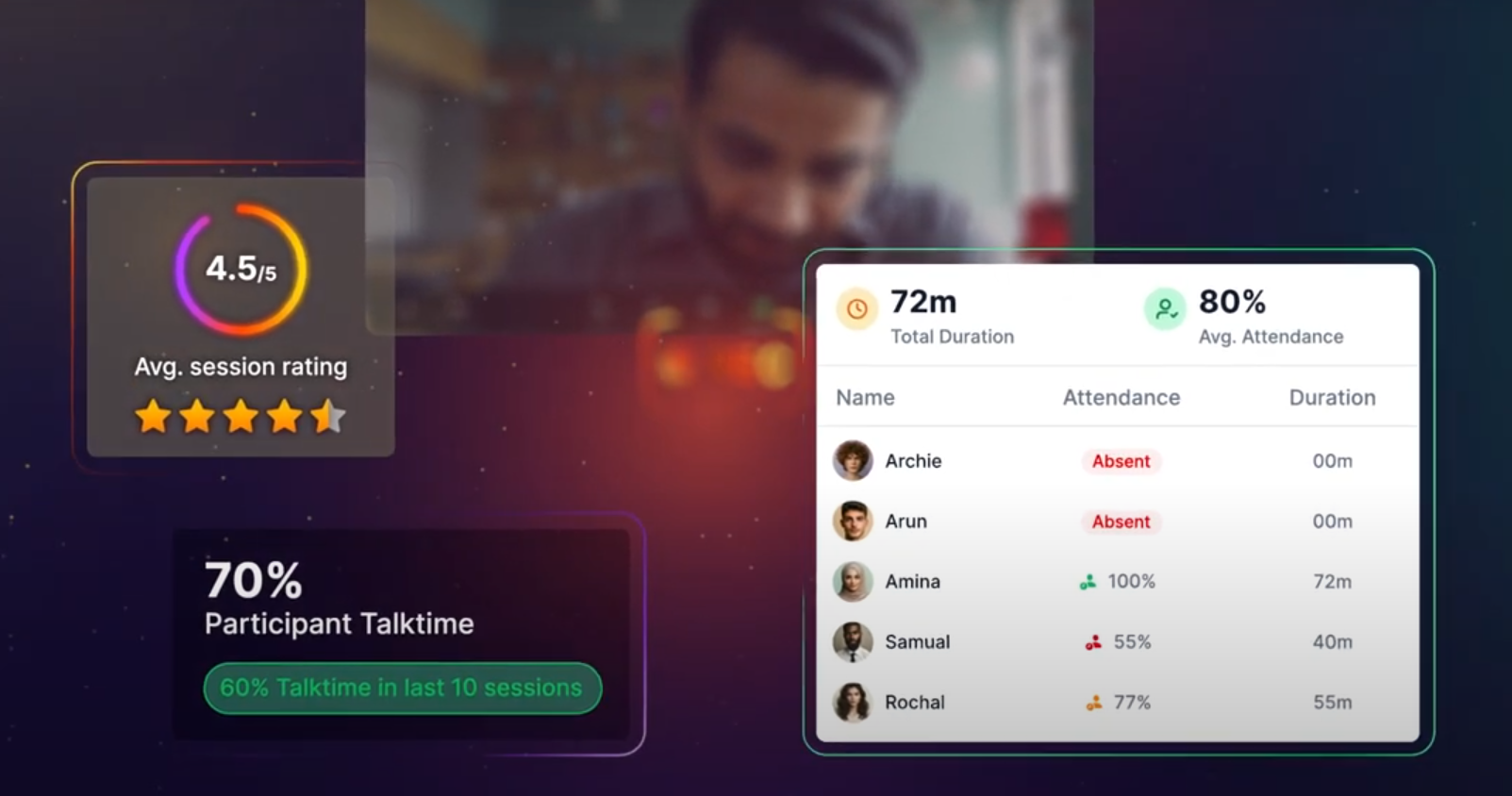
Wise is an AI-powered virtual classroom platform designed for tutoring businesses, training academies, and EdTechs. It combines engagement tracking, gamification, and admin automation to create a seamless online teaching experience. Wise is used tutoring businesses, online teaching academies and EdTechs across the globe to streamline their operations, and make learning more engaging.
Key features:
- Live Session gamification – Real-time interactive quizzes, leaderboards, and word clouds inside Zoom
- Automated student engagement tracking – Monitors talk time, attentiveness, and camera usage during live sessions
- Integrated Payments & Scheduling – Automated invoicing, attendance tracking, and 2-way Google Calendar sync
- User-friendly interface with a comprehensive dashboard
- Offers completely white-labelled solutions along with branded iOS and android mobile Apps
Case study: How AceIT improved language training
AceIT, a language training school, adopted Wise to enhance engagement in their live sessions. They saw a a 25% increase in student participation using live quizzes, and a 40% reduction in admin workload through automated attendance & invoicing.
You may also want to check out how Music Pandit, as featured on Shark Tank, scaled their operations and improved live session engagement using Wise.
2. Moodle – Best open-source LMS with Virtual classroom integration

Moodle is a customizable, open-source LMS used by schools, universities and institutions for managing online courses. Moodle LMS integrates with Zoom, Google Meet, BigBlueButton and multiple other third-party virtual classrooms. Given the customizable and flexible nature of the platform, its primary use cases are Higher education, corporate training and upskilling
Key features
- Custom Course Creation & Learning Paths
- Integrated Discussion Forums & Student Collaboration
- Plugins for Virtual classrooms
However, customization on Moodle can be complex and may require technical expertise – this results in increased costs to upgrade and manage. Additionally, interface may feel outdated or not modern. You may factor in these limitations before deciding on using Moodle.
How does Moodle compare to other LMS platforms?
- Compared to Wise LMS: Wise is more tutor-friendly, modern, and optimized for engagement tracking with built-in analytics for live classes, whereas Moodle requires add-ons.
- Compared to Blackboard & Canvas: Moodle is more affordable but lacks some premium support options.
- Compared to Google Classroom: Moodle is more feature-rich and supports more advanced learning paths, grading, and integrations.
3. Zoom – Best for scale
Zoom is a widely used video conferencing platform that supports large-scale virtual classrooms with breakout rooms, whiteboards, and session recordings. Zoom is one of the most popular video conferencing tools for online teaching business. Given its robustness it is a platform of choice for tutoring businesses offering group tutoring or operating at scale. Being developer friendly, zoom offers APIs that can be used to automate attendance in Zoom sessions, cloud recordings, AI summaries and other tasks. Zoom integrates with LMS tools, CRMs and tutor management software – making it an extremely popular choice for educational institutes or businesses doing live sessions at scale.
Key Features:
- HD Video & Audio for Large Groups
- Breakout Rooms for Small Group Activities
- Polls, Quizzes, QnA and other engagement features
Case study: Stanford University
Stanford transitioned to Zoom for large online lectures, using breakout rooms to enhance student interaction in remote learning.
Why Zoom is better than other virtual classroom software?
- Compared to Google Meet: Zoom offers more advanced features like breakout rooms, whiteboarding, and webinar hosting, while Google Meet is better integrated with Google Workspace.
- Compared to Microsoft Teams: Zoom is more intuitive for external meetings and large webinars, while Teams is better for internal collaboration within organizations using Microsoft 365.
- Compared to Webex: Zoom is more user-friendly and scalable, while Webex offers stronger security and enterprise-level control.
4. Lessonspace – Best for 1-on-1 tutoring & Small group tutoring
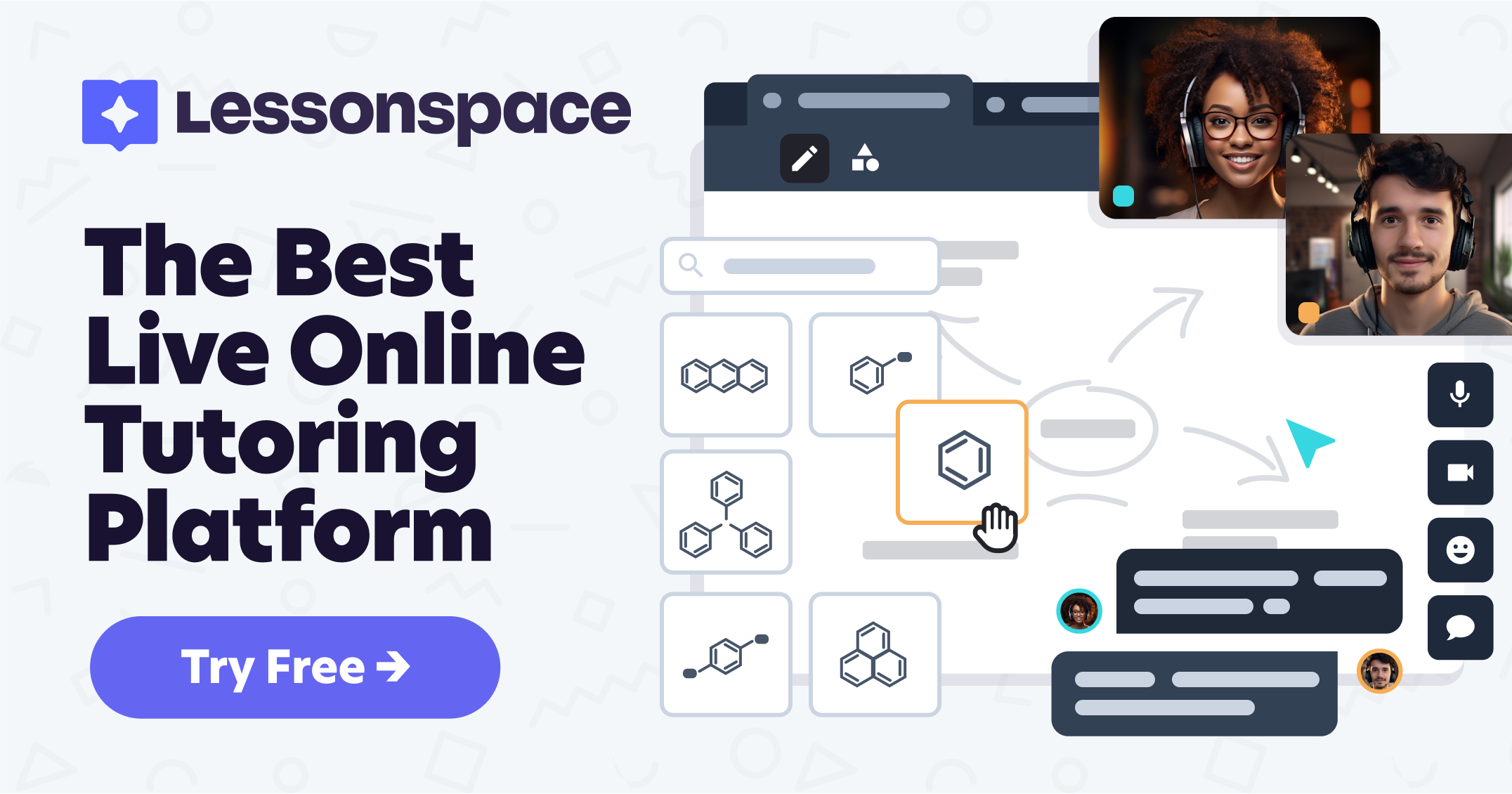
Lessonspace is an online collaborative classroom tool designed specifically for 1-on-1 tutoring, small group sessions, and online education. It provides an interactive learning environment with subject-specific whiteboards, real-time collaboration tools, and AI-powered insights. Lessonspace integrates with some of the best tutor management software such as Wise, Moodle, WordPress LMS, etc.
Key features:
- Interactive whiteboards and subject-specific whiteboards for math, physics, and coding
- Real-time collaboration, document editing, graphing and annotation tools
- AI-powered engagement tracking
Case study: SAT & ACT prep company
A leading SAT tutoring company used Lessonspace for interactive problem-solving during 1-on-1 tutoring, leading to a 30% increase in student performance.
How does Lessonspace compare to generic video conferencing tools?
- Lessonspace is built for education, while Zoom, Meet and Microsoft Teams are a general-purpose video conferencing tool
- Persistent workspaces allow students to revisit lessons, unlike other tools, where sessions disappear after ending
- Math, coding, and collaboration tools make Lessonspace more interactive for teaching
Add-on tools for virtual classrooms
Have a look at this video which talks about an advanced and popular virtual classroom tool.
5. Lens – Best for student engagement & Zoom analytics
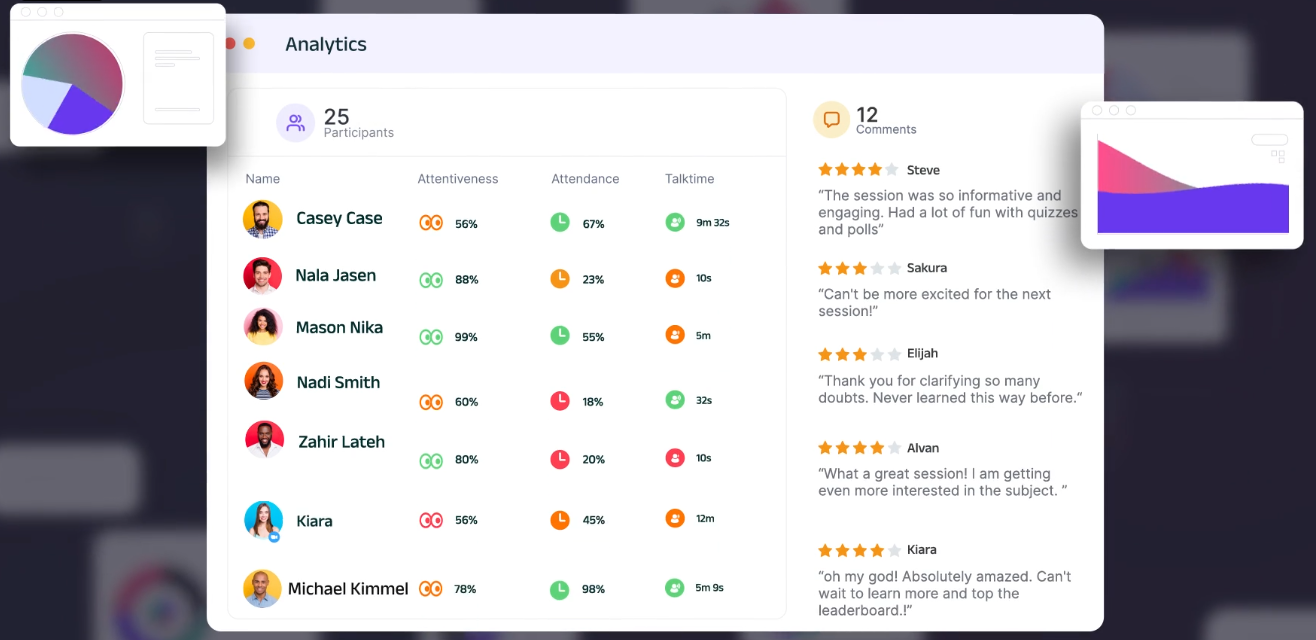
Lens is an advanced engagement tracking and gamification tool designed to enhance virtual classroom experiences. It is one of the best tools for virtual classrooms that tracks and increases engagement. It integrates with Zoom and other video conferencing platforms to provide real-time analytics on student participation.
Key features:
- Gamification: Live performance leaderboard inside Zoom
- Real-time tracking of talk-time, attentiveness and other engagement metrics
- Interactive Quizzes, polls, QnA, word clouds and more natively inside the session
- Automated reports for instructors & admins
Case Study: Johns Hopkins University
Johns Hopkins university does employee training remotely using Zoom. While Zoom is a robust platform they needed more advanced student engagement analytics from zoom sessions. That is when they added Lens as one of the tools for virtual classrooms at Johns Hopkins. Once they started using Lens for training of their staff there were two direct benefits. They could measure quantify student engagement by measuring this such as talk-time ratio, attentiveness, etc and increase engagement through gamification tools such as leaderboard . They have reported an increase in engagement and learning outcomes. This goes to show using an advanced tool for virtual classroom can improve the overall outcomes of virtual sessions.
6. Kahoot – Best for gamified learning & live quizzes
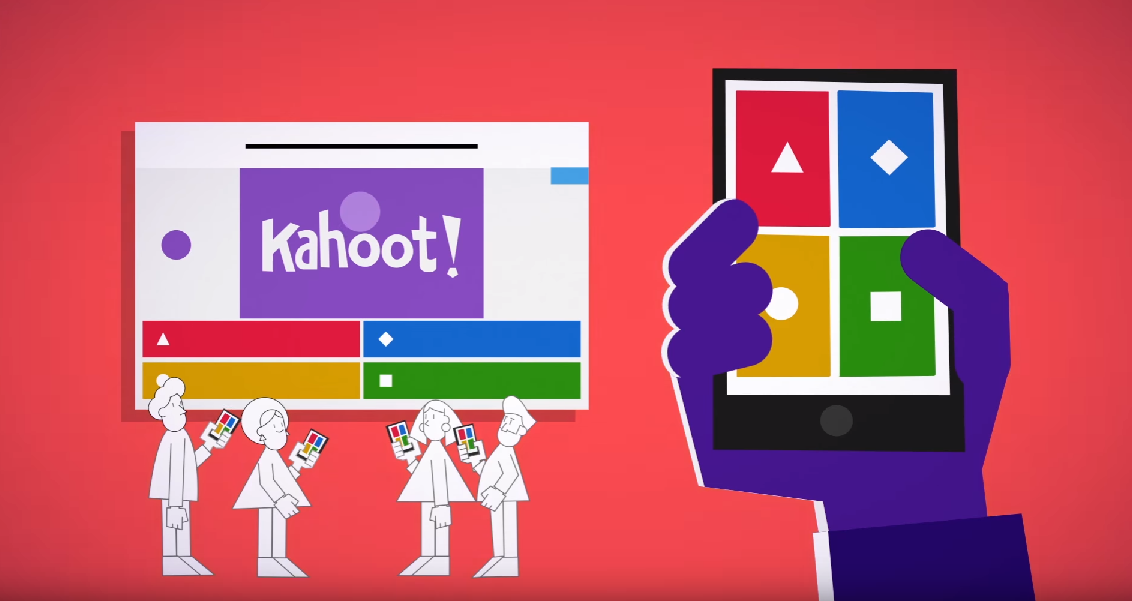
Kahoot is a game-based learning platform that makes virtual classes more interactive with live quizzes and competitions. Kahoot along with Mentimeter and Quizizz are extremely useful and popular tools for virtual classrooms. They can be used independently to conduct interactive online quizzes or can be used during a live session to increase engagement.
Key Features:
- Live & Self-Paced Quizzes for Engagement
- Integration with Zoom, Google Meet and other top virtual classroom software.
- Leaderboard & gamification features
How does Kahoot! compare to other tools for virtual classrooms?
- Compared to Quizizz & Gimkit:
- Kahoot! is best for live quizzes, while Quizizz offers better self-paced learning.
- Gimkit focuses on earning in-game rewards, whereas Kahoot! is leaderboard-based.
- Compared to Zoom Polls:
- Kahoot! is more interactive and game-based.
- Zoom’s built-in polling is simpler but lacks gamification and leaderboards.
- Compared to Wise Tutor management software:
- Kahoot! is quiz-focused, while Wise offers a complete tutoring and live learning platform.
- Wise includes attendance tracking, scheduling, and payment processing, which Kahoot! lacks.
- Kahoot! integrates with LMS platforms but does not function as a standalone LMS.
7. BigBlueButton – Best open-source virtual classroom for schools
BigBlueButton is a purpose-built open-source virtual classroom software designed specifically for online learning. Unlike generic web conferencing tools, BigBlueButton focuses on educational use cases and offers institutions complete control over their data and infrastructure.
Key features:
- Multi-user interactive whiteboard with real-time annotations and drawing tools
- Learning analytics dashboard that tracks student engagement, talk time, and webcam usage
- Seamless breakout rooms for collaborative group work and discussions
- Session recording with automatic playback functionality
- Built-in polling and quiz features for instant student feedback
- Mobile-responsive design with custom background support
Case study: European Universities embracing data privacy
Many European educational institutions have adopted BigBlueButton due to its GDPR compliance and data sovereignty benefits. Universities can host the platform on their own servers, ensuring complete control over student data while maintaining high-quality virtual learning experiences.
8. Adobe Connect – Best for enterprise-grade virtual training
Adobe Connect is a robust virtual classroom platform designed for professional training and corporate learning environments. It combines advanced presentation capabilities with comprehensive training management tools, making it ideal for organizations conducting large-scale virtual training programs.
Key features:
- Persistent virtual classrooms that save layouts, content, and breakout room configurations
- Interactive storyboarding tools for creating engaging multimedia presentations
- Powerful backstage and prepare mode for seamless instructor collaboration
- Advanced participant privilege controls and classroom governance
- Built-in engagement dashboard with real-time participation metrics
- Customizable templates for scalable training programs
9. Genially – Best for interactive content creation
Genially is a no-code interactive content creation platform that transforms static presentations into engaging, clickable experiences. While not a standalone virtual classroom, it integrates seamlessly with existing platforms to enhance student engagement through interactive materials.
Key features:
- Interactive presentation builder with animation and multimedia support
- Gamification elements, including escape rooms, quizzes, and clickable infographics
- LMS integration with SCORM and LTI compliance for easy deployment
- Real-time collaboration tools for group projects and assignments
- Template library with educational resources for all grade levels
- Analytics tracking for student interaction and progress monitoring
Case study: Transforming passive learning into active engagement
Teachers using Genially report increased student participation when replacing traditional PowerPoint presentations with interactive content. Students can click through learning materials at their own pace, access embedded videos, and complete interactive exercises within the same presentation.
10. VEDAMO – Best for European educators prioritizing data privacy
VEDAMO Virtual Classroom is a purpose-built educational platform that emphasizes data privacy and education-specific features. It offers GDPR-compliant virtual learning with tools specifically tailored for teaching and tutoring scenarios.
Key features:
- Video conferencing supporting up to 50 participants simultaneously
- Advanced interactive whiteboard with 20+ collaborative tools
- Session templates for reusable lesson structures and content organization
- Synchronized media player for sharing educational videos during live sessions
- Comprehensive breakout rooms with individual task assignment capabilities
- Detailed session recordings with interactive playback for analysis
Case study: Personalized online tutoring success
Online tutoring businesses using VEDAMO report improved student engagement through its specialized educational tools. The platform’s session template feature allows tutors to quickly set up recurring lessons, while the breakout rooms enable personalized attention in group settings.
How to Choose the Right Virtual Classroom Tool?
When selecting a virtual classroom platform, consider these key factors to ensure it aligns with your educational goals and technical requirements:
Teaching Requirements
- Class size: 1-on-1 tutoring vs large group sessions require different feature sets
- Teaching format: Live sessions, self-paced courses, or hybrid learning models
- Subject matter: Technical subjects may need advanced whiteboard tools and coding environments
- Student age group: Interface complexity should match the user’s technical skills
Core Features & Functionality
- Video quality: HD streaming with reliable audio for clear communication
- Interactive tools: Digital whiteboard, screen sharing, breakout rooms, and polling features
- Mobile compatibility: Seamless experience across desktop, tablet, and mobile devices
- Session recording: Cloud storage for review and missed class access
Budget & Scalability
- Pricing model: Per-user, per-session, or flat monthly rates
- Free vs. paid: Balance feature requirements with budget constraints
- Growth potential: Platform’s ability to scale with increasing student numbers
- Hidden costs: Setup fees, storage limits, and premium feature charges
Technical Integration
- LMS compatibility: Integration with existing learning management systems
- Third-party tools: Compatibility with assessment platforms and business management software
- Ease of setup: Quick deployment without extensive technical knowledge
Support & Reliability
- Platform stability: Minimal downtime and consistent performance during peak hours
- Customer support: Responsive technical assistance and comprehensive documentation
- Training resources: Onboarding materials and user guides
- Data security: GDPR compliance and robust privacy protection
For comprehensive virtual classroom solutions that combine teaching tools with business management features, platforms like Wise offer integrated scheduling, payment processing, and engagement analytics in addition to core classroom functionality.
Conclusion: The best tools for virtual classrooms
For a seamless online learning experience, educators should use a combination of all-in-one solutions and specialized add-ons based on their needs.
Best setup recommendation:
- All-in-One LMS + Tutor management software + Virtual classroom: Wise (for tutors & EdTechs) or Moodle (for universities)
- Standalone Video conferencing: Zoom (for businesses at scale or offering group tutoring) or Lessonspace (for 1-on-1 tutoring)
- Enhancements: Lens (for advanced analytics and gamification) & Kahoot (for gamification)
By choosing the right combination of tools for virtual classrooms, educators and tutors can create a highly engaging, efficient, and scalable virtual learning environment in 2026.