 Wise Help Center
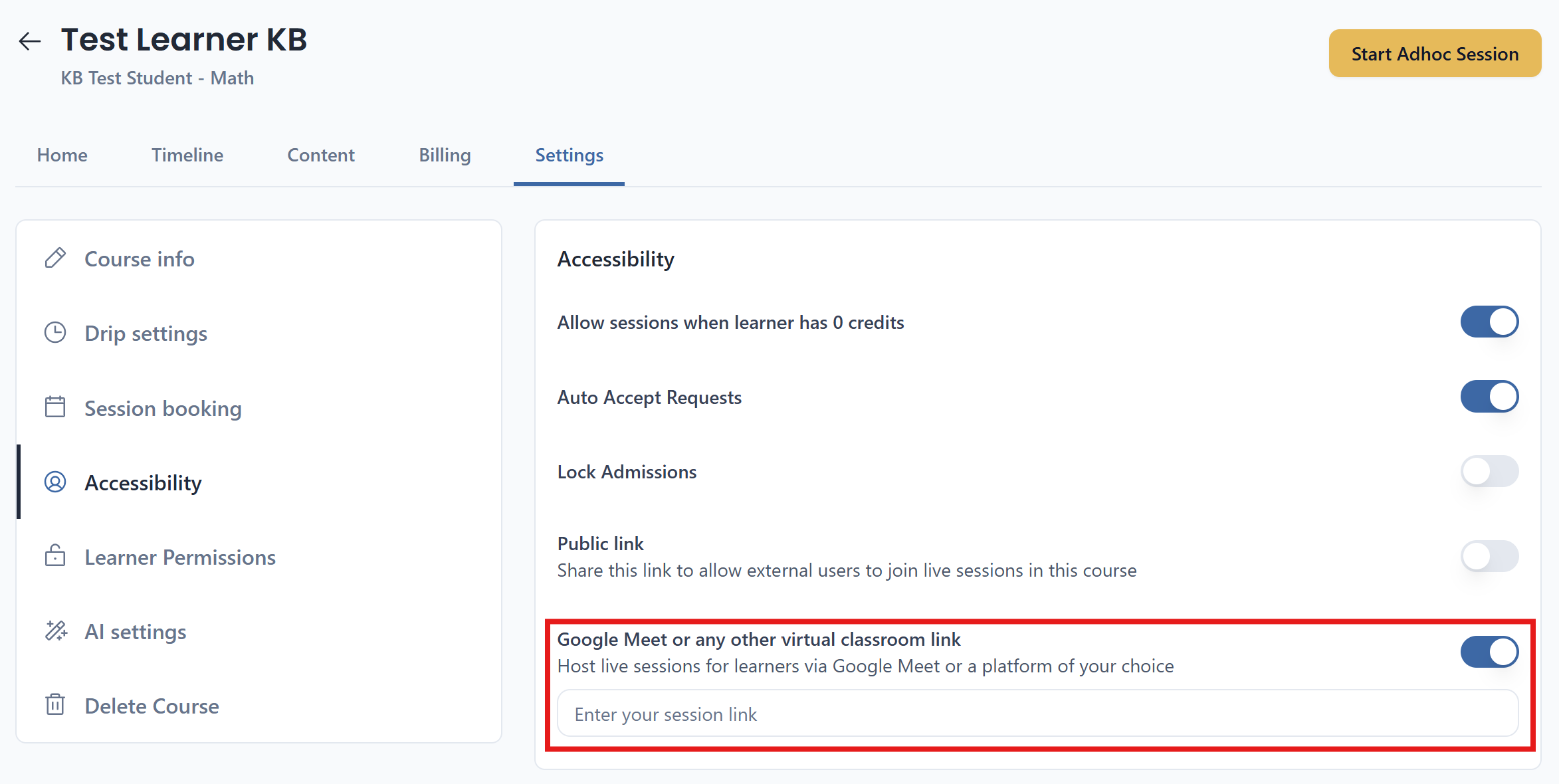
For a tool with no native integration, Google Meet being the most common, Wise can still run sessions on it as a plain link, if this is enabled on your plan. Turn on Google Meet or any other virtual classroom link on the course's Accessibility tab, then paste your link into the Enter your session link field. Whatever link you paste becomes the tutor's join link for that course. When the tutor clicks Start, it opens that meeting; when the student clicks Join, they land on the exact same link. There's still nothing to re-share session to session, since the one saved link is reused every time.
None of the automations in 16.1 are available this way. Recording, attendance, and transcripts for sessions run through a pasted link have to be handled manually, outside Wise.